

Blog

  • Lorem Ipsum in Figma: How to Add Placeholder Text to Your Designs

    Lorem Ipsum in Figma: How to Add Placeholder Text to Your Designs

    If you design in Figma, you have probably stared at a beautiful layout with empty text boxes and wondered what to put in them. That is where lorem ipsum in Figma comes in. A few lines of placeholder text let you see how a design will really look — how long a headline runs, whether a card fits its paragraph, and how a page flows — long before the final copy exists.

    This guide shows you the three easiest ways to add figma placeholder text to your designs: pasting it in from a free generator, using a figma lorem ipsum plugin, and reusing text styles so your filler stays consistent. No sign-up, no cost, and no design experience beyond the basics of Figma.

    Why Designers Use Lorem Ipsum in Figma

    Real copy draws the eye to the words. Placeholder text draws the eye to the design. When a client or teammate looks at a mockup filled with lorem ipsum, they judge the layout, the spacing and the type — not a half-finished sentence you wrote in a hurry.

    That is why placeholder text figma workflows are standard in UI and web design. Filler text is useful for:

    • Wireframes — showing the structure of a page before any real content exists.
    • High-fidelity mockups — testing how a finished screen will look with realistic text lengths.
    • Design systems — checking that a card, list or article component works with short and long text.
    • Client presentations — keeping the focus on the design instead of draft wording.

    Figma does not include a built-in lorem ipsum button, so designers add it with a plugin or by pasting text from a generator. Both ways take less than a minute once you know them.

    Method 1: Paste Lorem Ipsum from a Free Generator

    The simplest way to add lorem ipsum in Figma is to generate the text outside Figma and paste it in. This works in every version of Figma, including the free plan, and it needs no plugin at all.

    1. Open our free Lorem Ipsum Generator and choose how many paragraphs or words you need.
    2. Click generate, then copy the text.
    3. In Figma, select the Text tool (or press T) and draw a text box where the copy will go.
    4. Paste the text in. Figma keeps your font, size and line height, so the filler instantly looks like part of the design.

    This method gives you the most control. You can generate exactly the length you need — a single sentence for a button label, or three paragraphs for a blog card — and you can regenerate it as many times as you like. If you are new to filler text, our complete guide to dummy text generators explains what each type of generator does and when to use it.
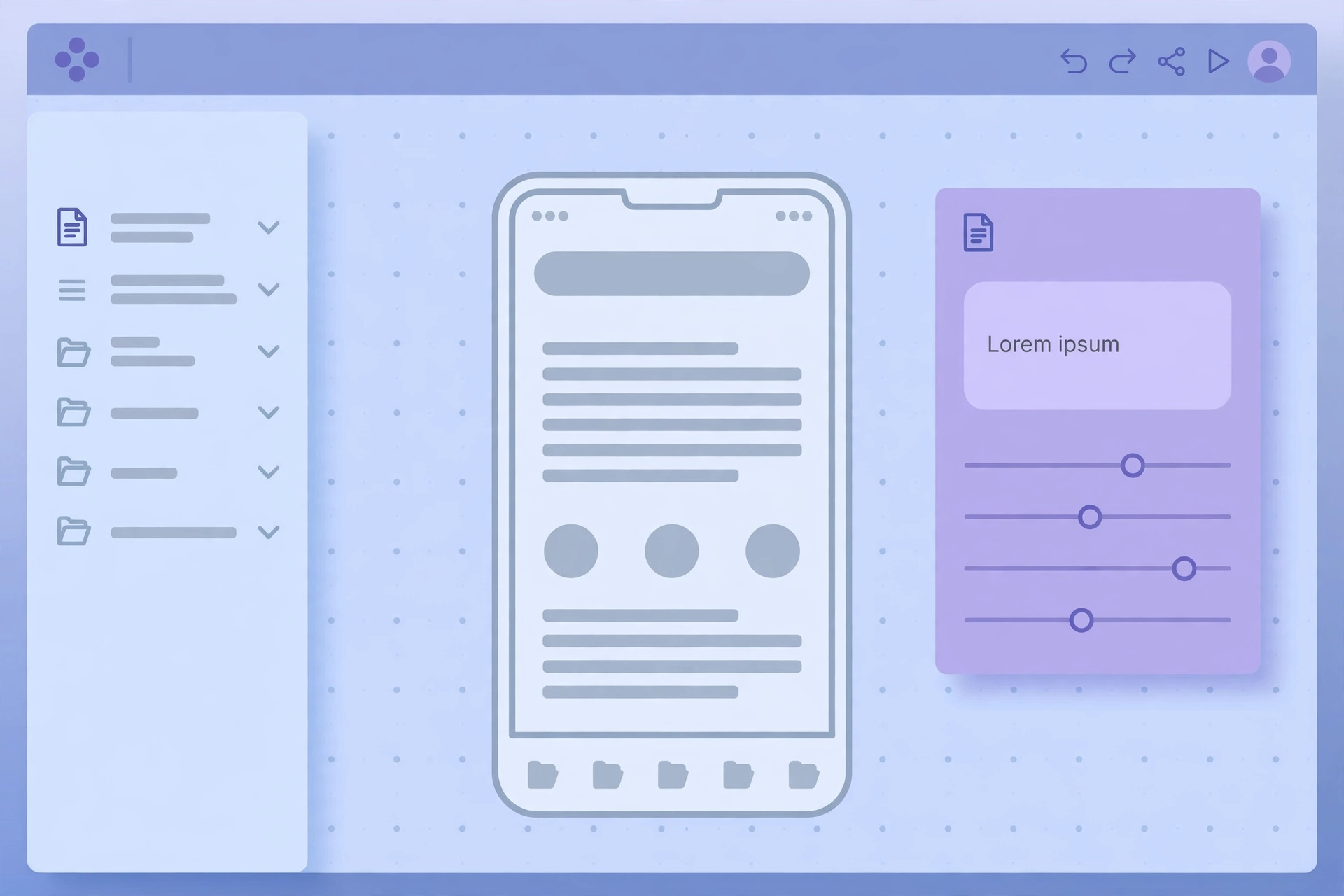
    A Figma canvas showing a mobile app wireframe filled with lorem ipsum placeholder text

    Method 2: Use a Figma Lorem Ipsum Plugin

    If you add filler text often, a figma lorem ipsum plugin saves you the trip to the browser. Plugins live inside Figma, so you generate text without leaving your canvas.

    1. With a text layer selected, open the Resources menu (or press Shift + I) and choose Plugins.
    2. Search for “Lorem Ipsum” in the Community plugins.
    3. Pick a plugin, choose how many paragraphs, sentences or words you want, and run it. The plugin fills your selected text layer with dummy text.

    Some plugins also offer a lorem ipsum generator figma workflow with extra options, such as starting with the classic “Lorem ipsum dolor sit amet” line or generating headings as well as body copy. Try one or two and keep the one whose settings match how you work — most of the popular options are free.

    A plugin is fastest when you are already deep in a file. The generator method is better when you want precise control over length, or when you are working on a computer where you cannot install plugins.

    Method 3: Reuse Placeholder Text with Text Styles and Components

    Once you have good filler in one frame, do not retype it everywhere. Figma’s text styles and components turn a one-off paste into a reusable pattern:

    • Save a text style for your placeholder copy, so every filler block uses the same font, size and spacing as the real text will.
    • Make a component from a card or article block that contains lorem ipsum. Then duplicate the component across your file — each copy keeps the same realistic text length.
    • Use Auto Layout on frames with placeholder text, so the frame grows or shrinks as you swap short filler for long filler. This shows you straight away whether a design breaks with longer copy.

    This is where figma placeholder text earns its keep. A component filled with realistic dummy text behaves almost like the finished product, so layout problems show up in the design file instead of after handoff.

    How Much Placeholder Text Should You Use?

    The golden rule is simple: generate about as much text as the real copy will be. If the final paragraph will be two lines, two lines of filler show you the true layout. A full page of lorem ipsum in a space meant for one sentence gives a misleading preview — and it makes the design look busier than it will be.

    A few practical tips:

    • Match the length. Short labels get a few words; article cards get a sentence or two; blog pages get full paragraphs.
    • Vary it. Use different lengths in different cards, so you can see whether the layout still works when one card has more text than the others.
    • Replace it before handoff. Placeholder text is a stand-in, not a deliverable. Swap in real copy before the design goes to development or to a client as final.

    Placeholder Text for Wireframes vs. Finished Mockups

    Not every stage of a project needs the same kind of filler. In early wireframes, grey bars or a single line of lorem ipsum are enough — the point is structure, not typography. In a finished mockup, use full sentences with your real text styles, because the client is judging how the page will actually read.

    If you want something other than classic Latin filler, there are lorem ipsum alternatives too — plain-English dummy text, random words, or text made from your own sample copy. They all do the same job; lorem ipsum is simply the one designers recognise instantly, which is why it stays the default in most Figma files.

    Common Mistakes to Avoid

    • Leaving lorem ipsum in a shipped design. Always search your file for “lorem” before handoff — a stray paragraph in a live product looks unfinished.
    • Using the same block everywhere. Identical filler in every card hides the fact that real content varies in length.
    • Judging readability on filler. Lorem ipsum shows you how a design looks, not how easy your real words will be to read.
    • Forgetting mobile. Check your placeholder text at mobile widths too — a paragraph that fits on desktop can overflow a phone screen.

    Frequently Asked Questions

    Does Figma have a built-in lorem ipsum generator?

    No. Figma does not include a built-in lorem ipsum feature, so designers add placeholder text with a Community plugin or by pasting text from a free generator such as ours.

    Is there a free lorem ipsum plugin for Figma?

    Yes. Several free plugins in the Figma Community generate lorem ipsum inside your file. Search for “Lorem Ipsum” under Plugins in the Resources menu and pick one with the options you need.

    Can I use lorem ipsum in a commercial Figma project?

    Yes. Lorem ipsum text is in the public domain, so you can use it freely in personal and commercial designs, mockups and templates.

    What is the fastest way to add placeholder text in Figma?

    For a single text box, paste from a generator — it takes seconds. If you add filler text every day, install a figma lorem ipsum plugin once and generate it inside Figma from then on.

    Conclusion

    Adding lorem ipsum in Figma is a small habit that makes a big difference: it turns empty frames into designs you can actually judge. Paste it in from a free generator when you want control over length, use a figma lorem ipsum plugin when you want speed, and reuse your filler through text styles and components so every screen stays consistent. Try it on your next wireframe — generate the text, drop it in, and let the design speak first.


  • Lorem Ipsum Generator: The Complete Guide to Dummy Text, Placeholder Text and Random Text Generators

    Lorem Ipsum Generator: The Complete Guide to Dummy Text, Placeholder Text and Random Text Generators

    If you have ever built a website, designed a flyer or mocked up an app screen, you have probably needed filler text that looks like real writing without saying anything yet. That is exactly what a lorem ipsum generator does. In a single click, this free online tool creates dummy text you can drop into any design, so you can judge how a layout looks before the final words are written.

    People search for this tool in many different ways — as a lipsum generator, a dummy text generator, a placeholder text generator or a random text generator — but they all mean the same thing: a quick way to get realistic-looking Latin-style filler text. This guide explains what each variation does, when to use it, and how to get the best results from our free Lorem Ipsum Generator.

    What Is Lorem Ipsum?

    Lorem ipsum is scrambled Latin text that has been used as placeholder copy in printing and design since the 1500s. Its most famous opening line, “Lorem ipsum dolor sit amet”, comes from a work by the Roman writer Cicero, written in 45 BC. Because the words carry no real meaning for modern readers, they let you focus on the look of a page — the typeface, spacing and layout — instead of getting distracted by the content.

    That is why designers still reach for it today. Real copy draws the eye to the words; placeholder text draws the eye to the design.

    What Is a Lorem Ipsum Generator?

    A lorem ipsum text generator is a simple online tool that produces as much filler text as you need. You choose how many paragraphs, sentences or words you want, click generate, and copy the result into your project. There is nothing to install and no account to create.

    Most generators, including ours, let you control:

    • Paragraphs — how many blocks of dummy text you get.
    • Sentences or words — the length of each block.
    • Starting text — whether the first paragraph begins with the classic “Lorem ipsum dolor sit amet” line.

    Whether you call it a lorem ipsum generator, a lipsum generator or a dummy text generator, the job is the same: realistic filler text, instantly.

    The Main Types of Dummy Text Generators

    Not every project needs the same kind of filler. Here are the variations people use most, and what each one is best for.

    1. Lorem Ipsum Text Generator

    The classic option. A lorem ipsum text generator produces the familiar Latin-style paragraphs used in print and web design for centuries. Use it for website mockups, brochures, presentations and any layout where the final copy is not ready yet.

    2. Lorem Ipsum Paragraph Generator

    When you need full blocks of text rather than single lines, a lorem ipsum paragraph generator is the right choice. It is ideal for testing how a page of body copy will look — column widths, line spacing and how much space a long article will take up.

    3. Lorem Ipsum Dolor Generator

    Some people search for a lorem ipsum dolor generator because they remember the opening phrase “Lorem ipsum dolor sit amet”. It is the same classic text, starting with that exact line. If your design needs the traditional opening, make sure the generator you use starts with it.

    4. Dummy Text Generator

    A dummy text generator is the general name for any tool that creates meaningless filler copy. It covers Latin-style lorem ipsum as well as plain “dummy” wording, and it is the term most non-designers type into a search engine when they just need some quick filler.

    5. Placeholder Text Generator

    A placeholder text generator is often used by developers and form designers. Placeholder text is the grey example text inside a form field or template — “Enter your name”, for instance — and generators help you create realistic samples for testing forms, templates and content blocks.

    6. Random Text Generator

    A random text generator creates filler that varies each time you click generate, so no two outputs are identical. It is handy when you need several different samples for A/B layout tests, or when you want to check that a design works with text of different lengths.

    7. Online Lorem Ipsum Generator (Free)

    An online lorem ipsum generator runs entirely in your browser — no download, no sign-up, no cost. Our free lorem ipsum generator works this way: open the page, pick your settings, generate, and copy.

    A designer desk with a website layout filled with placeholder text lines

    When Should You Use Placeholder Text?

    Placeholder text is useful whenever the design needs to be judged before the words are final:

    • Website mockups and wireframes — show clients how a page will look without waiting for copy.
    • Print design — test brochures, posters and magazine layouts with realistic text flow.
    • App and UI design — check how cards, lists and screens behave with different text lengths.
    • Templates — give users a starting point they can replace with their own words.
    • Typography testing — compare fonts and sizes with neutral, distraction-free text.

    How to Use Our Free Lorem Ipsum Generator

    Using the tool takes less than a minute:

    1. Open the Lorem Ipsum Generator homepage.
    2. Choose how many paragraphs, sentences or words you need.
    3. Click generate to create your dummy text instantly.
    4. Copy the result and paste it into your design, document or website.

    There is no limit on how often you can use it, and the text it produces is free to use in personal and commercial projects.

    Lorem Ipsum vs. Real Content: Best Practices

    Placeholder text is a stand-in, not a substitute for real writing. Keep these points in mind:

    • Replace it before launch. Never publish a live page with lorem ipsum still in it — search engines and visitors both notice.
    • Match the length. Generate roughly the same amount of text as the final copy, so your layout does not break when real words arrive.
    • Do not judge readability on it. Lorem ipsum tells you how a design looks, not how easy your real content will be to read.
    • Use it early. Filler text is most valuable in the first drafts, when the design is still changing.

    Frequently Asked Questions

    Is a lorem ipsum generator free to use?

    Yes. Our lorem ipsum generator is completely free, with no sign-up and no limits on how much dummy text you create.

    What is the difference between a lipsum generator and a lorem ipsum generator?

    There is no difference — “lipsum” is simply a short form of “lorem ipsum”. Both terms describe the same tool, and both produce the same kind of placeholder text.

    Can I use dummy text in a commercial project?

    Yes. Lorem ipsum text is in the public domain, so you can use it in commercial designs, mockups and templates without worrying about copyright.

    How much placeholder text should I generate?

    Generate about as much as your final copy will be. If the real text will be three short paragraphs, three paragraphs of filler will show you the true layout. Too little or too much filler gives a misleading preview.

    Conclusion

    Whether you search for it as a lorem ipsum generator, a lipsum generator, a dummy text generator, a placeholder text generator or a random text generator, the goal is the same: quick, realistic filler text that lets your design speak first. Try our free tool, generate exactly the amount of text you need, and replace it with real words when your copy is ready. Your layouts will look better for it — and your clients will see the design, not a blank page.